Nordbo Update Tool
Update with ease
With the Nordbo Update Tool, you can easily update your
Nordbo software product
Robot models
Two ways of updating
With the Nordbo Update Tool, you are given two options of updating:
Download and install directly on your Controller or
Download the files without installing them. This is beneficial if you plan to move the downloaded files to another computer.
If needed - Latest “unreleased” version is also available
You can get the latest released version of Mimic. Sometimes, our partners and customers would like to get early access to features that are not tested for a release yet. In this case, the unreleased version can be downloaded.
For good measure, the unreleased version is locked with a password.
How to install
Download the Nordbo Update Tool
Right-click and press "run as program"
Using the Nordbo Update Tool
Overview of the Tool
Please find an overview of the Nordbo Update Tool below.
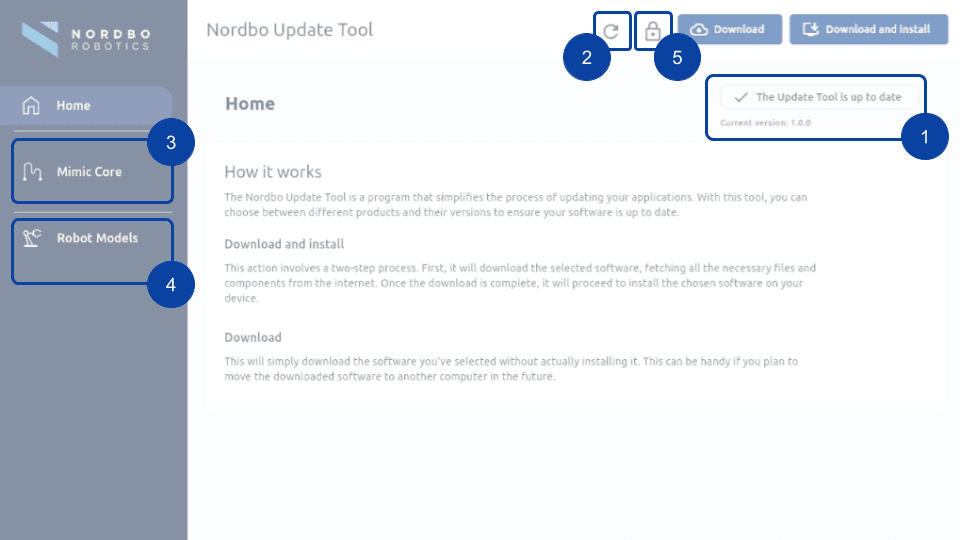
Nordbo Update Tool version
Refresh Nordbo Update Tool to check for new versions
Download latest software versions and robot code
Download robot models
Unlock latest "unreleased" version
How to get the Robot code
When you Mimic Core is shipped, the latest robot code is placed on the USB in the package.
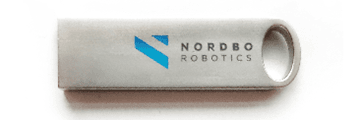
If you want to update the robot code or re-acquire it, you can download it in the Nordbo Update Tool.
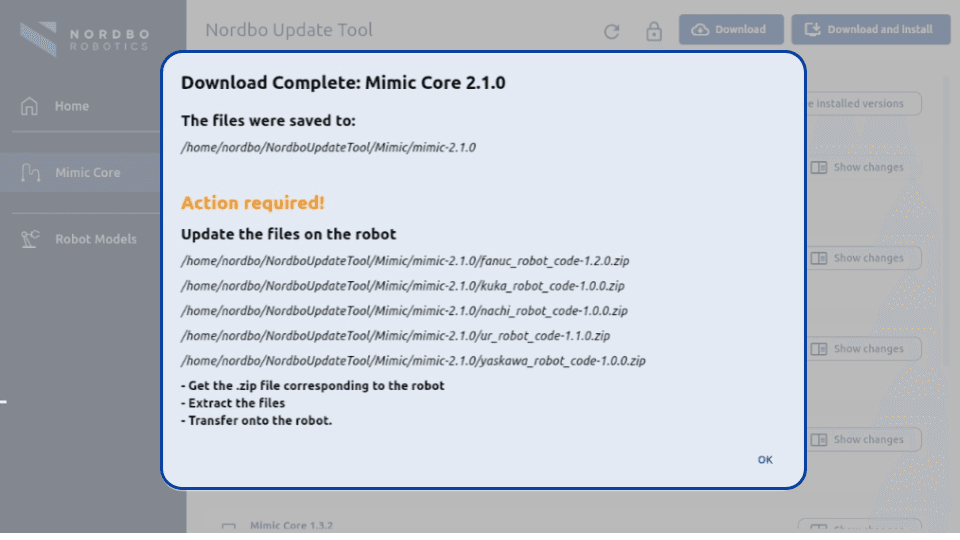
When the specific software version is downloaded, the robot code is included. Remember to place it on a USB, to be able to transfer it to the robot.
Please see example of downloading Mimic Core 2.1.0, how the robot code is included and provided guidelines: